GLOBALESM / PRODUCTS

Built around
your engine.

We make software for teams that run Open Integration Engine, Mirth Connect and BridgeLink. Some of it runs in the browser. Some of it runs inside the engine.

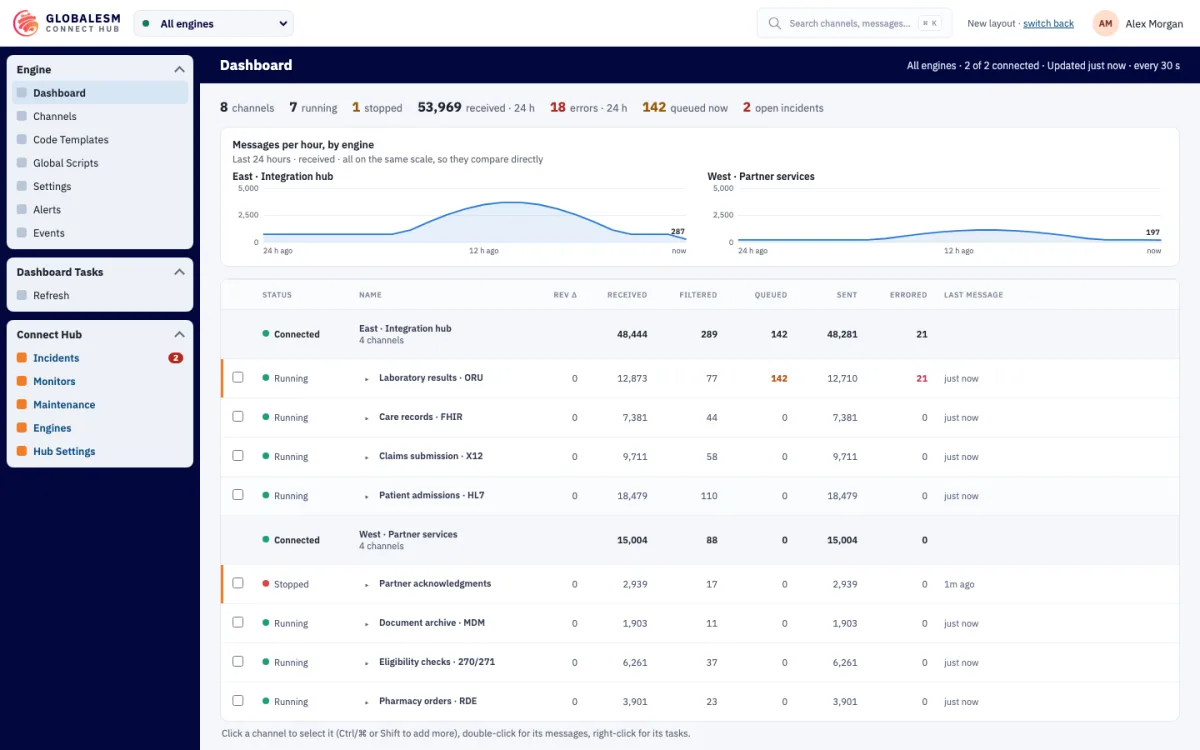
Connect Hub dashboard showing two demo engines, messages per hour for each, and a channel table with received, queued and errored counts. One channel is stopped and one has a queue.
DashboardDemo workspace with made-up data

HOW THE PIECES FIT

From the browser
to the engine.

Connect Hub is where your team works. The Hub extension links each engine to it. The add-ons give the engine more to work with.

In the browserAssisted pilots

Connect Hub

The workspace your team opens in the browser. See engine and channel health, follow incidents and, with the right access, work on channels and messages.

  • Dashboard, monitors and incidents across your engines
  • Channel Studio and a message browser for authorized users
  • Sign-in and engine access through Globalesm ONE
Explore Connect Hub
On each engineComes with Connect Hub

Globalesm Hub extension

A small extension installed on each engine. The engine connects out to our Hub over HTTPS, so no inbound port is opened.

  • Your engine’s administrator picks what our Hub may do
  • Monitor only until you choose more
  • Requests made by people are written to the engine’s Event log
How the extension works
Inside the engineEarly access

Engine add-ons

Capabilities that run inside the engine itself. Each one installs on its own, with or without the others.

  • Sign-in, roles, certificates and secrets
  • Channel History for change control
  • FHIR and DICOM SR for clinical data. Clustering is in development.
See the add-ons

CONNECT HUB TODAY

A look inside
the workspace.

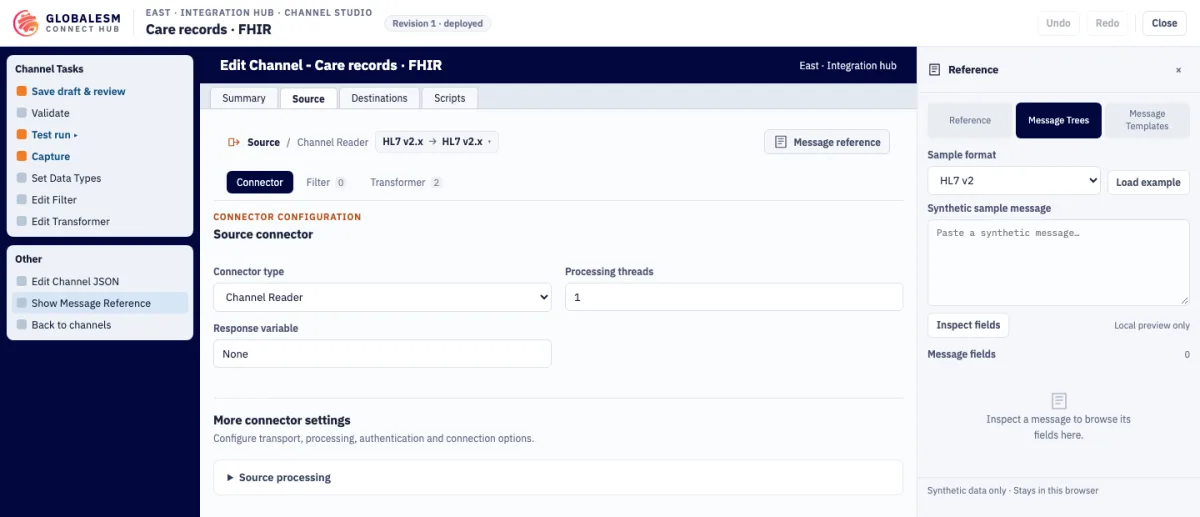
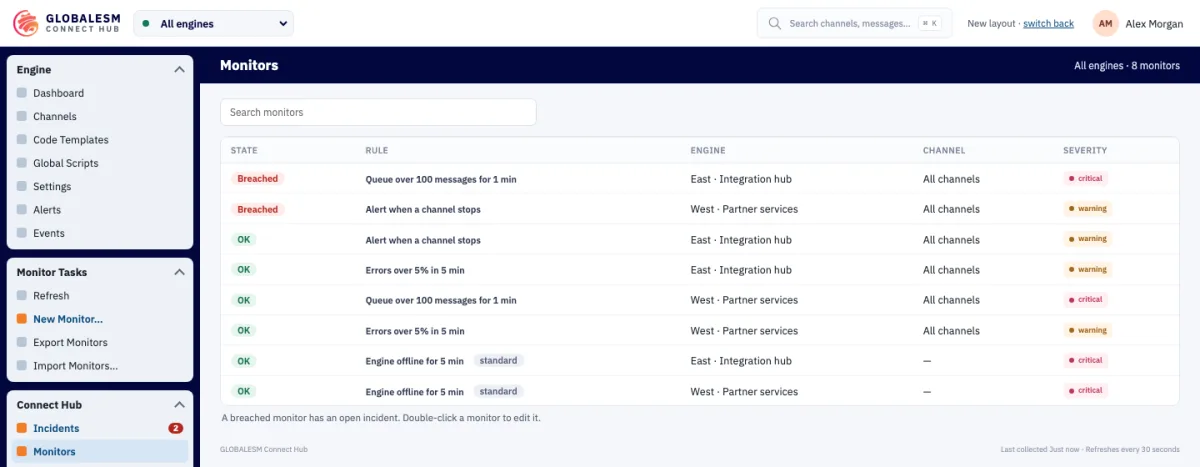
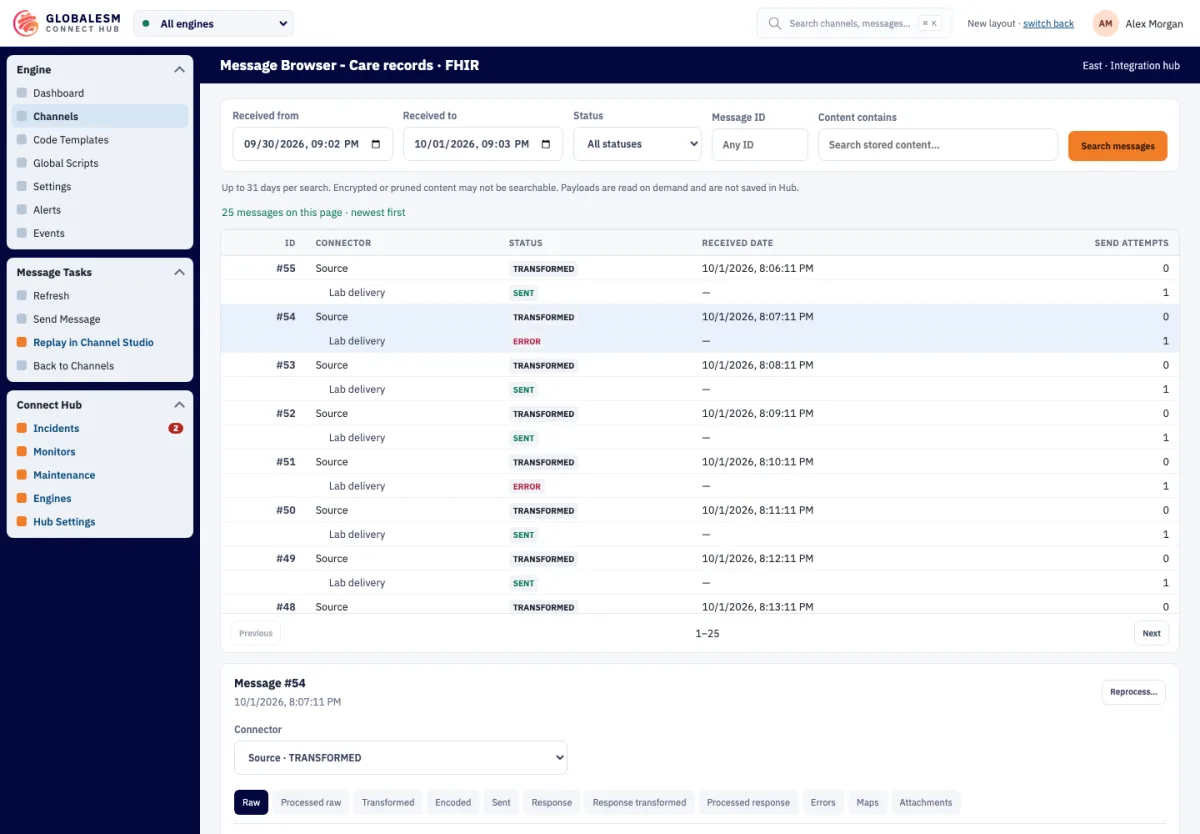
These screens come from our demo workspace. The engines, channels and numbers in them are made up.

Connect Hub Channel Studio editing the source connector of a demo channel, with channel tasks on the left and a message reference panel on the right.
Channel StudioDemo workspace with made-up data
Connect Hub Monitors list with queue, error, stopped-channel and engine-offline rules for two demo engines, two of them breached.
MonitorsDemo workspace with made-up data
Connect Hub Message Browser listing demo messages with their status per connector, search filters at the top and one selected message below.
Message BrowserDemo workspace with made-up data

ENGINE ADD-ONS

Pick what your
engine needs.

Each add-on has its own section on the engine extensions page.

PREFER A TEAM TO RUN IT?

Our people know
these engines too.

We also support OIE, Mirth Connect and BridgeLink environments as a service. Tell us what you run and what is getting in the way.

Talk to us

OIE, Mirth & BridgeLink support